Loop a section of a song
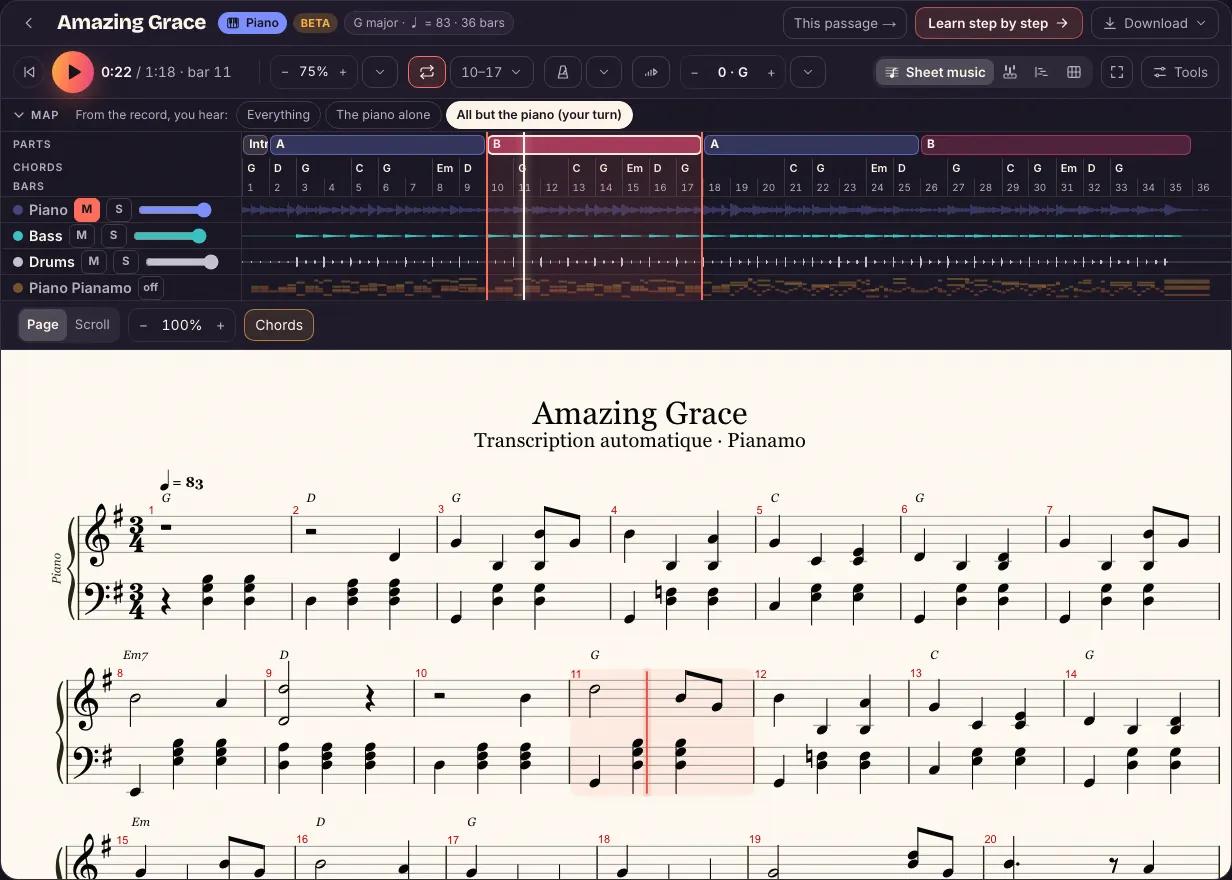
To learn a section, nothing beats hearing it ten times in a row while you play it: the loop starts it again by itself, from the top, without you leaving the keys. In Pianamo’s Studio you loop a whole part in one tap, or the bars you choose.
“Amazing Grace”, recorded by us: no account, no file.
Try it on our song
- Open the Studio of “Amazing Grace”, our demo song (no account).
- On the song map at the top, tap part B: it lights up and loops. Tap it again to stop.
- For just a few bars: “Loop” in the transport bar, then, in the small menu next to it, set “bars 9 to 12” (on a phone: “Tools”, then “Loop”).
On your own song
Drop your song’s audio file, or a video where you can hear it, on the home page: after a few minutes of analysis, it opens in the Studio. Free during the beta: up to 3 songs a day per account, just one when lots of songs are waiting. You need a free account.
The parts (intro, verse, chorus) are the ones Pianamo found in your song; a song without parts loops by bars.
A short loop, then move on
- Two to four bars at a time: short enough to remember, long enough to make sense.
- Slow down first: loop and speed work together. 75%, then 90%, then the real speed.
- Overlap the loops: the next one starts on the last bar of the previous one, so the joins get practiced too.
- A whole part once each piece goes through: the verse, then the chorus.
Where the loop starts and ends
A loop runs from bar line to bar line: it starts again on the first beat, at the record’s tempo, with a very short fade to avoid a click. The score’s cursor and the falling notes go back with it.
Questions
How do I repeat a section of a song on a loop?
In Pianamo’s Studio, tap a part on the song map, or pick bars under “Loop”: the section comes back by itself. Try it on our song, no account needed.
Can I loop and slow down at the same time?
Yes: the loop keeps the speed you chose, and the record keeps its pitch. It’s the surest way to work on a hard section.
Can I mute the piano during the loop?
When the song has a piano track, yes: “All but the piano”, and you play it over the rest of the record. Depending on the song, there are six tracks, four, or the recording alone.
And on a phone?
Tap a part on the song map at the top of the screen; “Tools” shows the current loop, its bars, and stops it.
With the Studio
- The Studio – The record, its tracks and its sheet music, on one screen.
- Slow a song down – The record at 90, 75 or 50%, its notes unchanged.
- Sheet music that follows the record – The cursor follows the real recording, beat by beat.
- MP3 to piano sheet music – What comes out of a song, and what doesn’t.