The real record plays, the sheet music follows.
The Studio is the screen of a song you’ve imported: the recording itself is the sound, and the sheet music, the falling notes or the chord grid move along with it, bar after bar.
“Amazing Grace”, recorded by us: no account, no file.
A song dropped, then what the Studio makes of it: its tracks, the falling notes, the speed without a change of pitch, one bar on a loop. 46 seconds, with sound.
The Studio for your own song
Drop an audio file of your song or a video where you can hear it; with no file, play it to Pianamo. After a few minutes of analysis, it opens in the Studio, with its piano sheet music.
- Free during the beta: up to 3 songs a day per account, just one when lots of songs are waiting.
- You need an account, free too: your songs wait for you there, on all your devices.
- The tracks depend on the song: six, four, or the recording alone. They play in the Studio, they can’t be downloaded; the sheet music can (MusicXML, MIDI, PDF).
- Results are still uneven: it works best when a piano accompanies a voice.
Four ways to read the same record
One clock, the recording’s: every view moves along with it. Switch views while it plays, the record doesn’t stop.
- Sheet music: The cursor crosses each note as it sounds on the record; the current bar is highlighted. Tap the sheet music: the record jumps there.
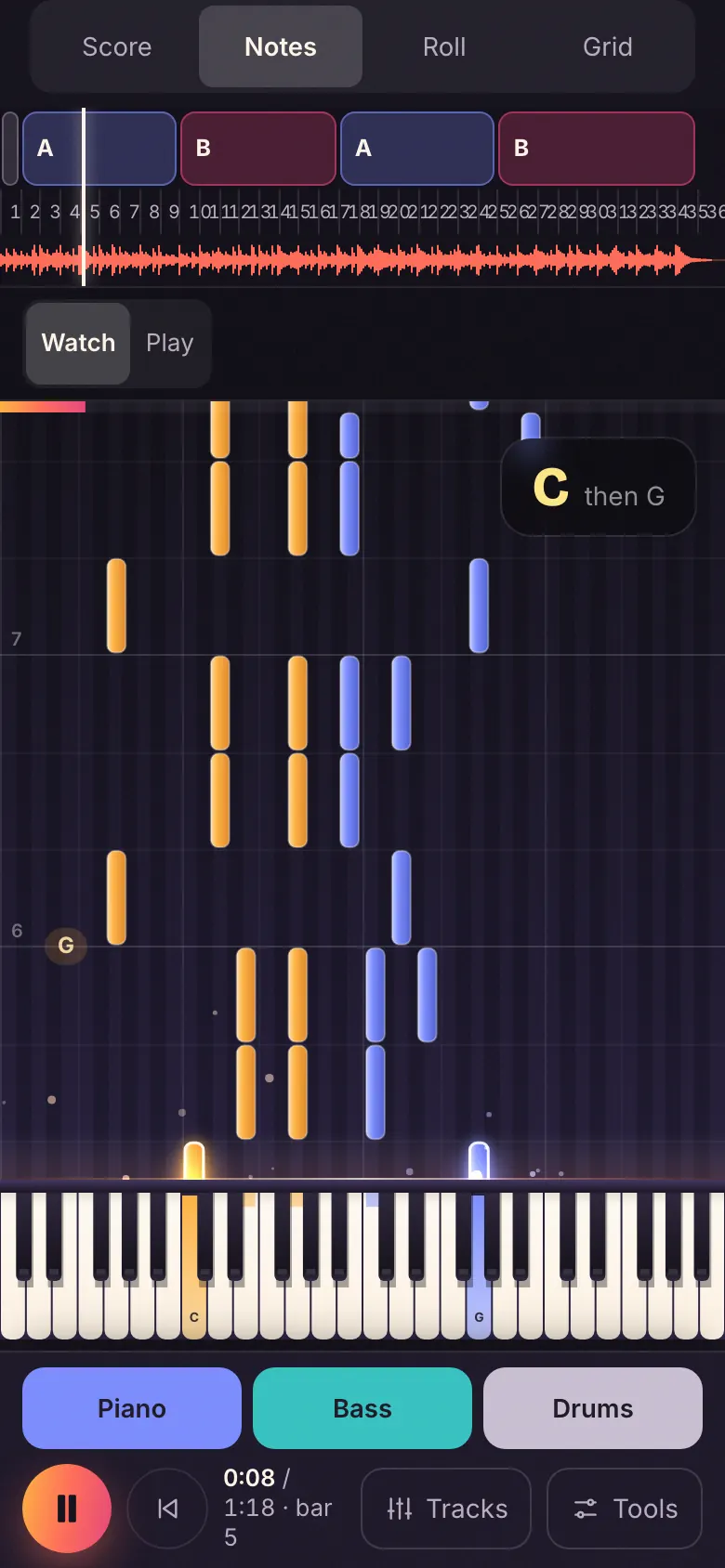
- Falling notes: The notes fall onto the keyboard in time with the record, left hand in amber, right hand in blue. On a phone, this is the view that opens first.
- Piano roll: Each note as a bar, by its pitch and length: to see at a glance what each hand plays.
- Chord grid: The chords bar by bar, the one you hear lit up, and the next one announced.
What you can do in it
The tracks, when the song has them
Depending on the song, the Studio has up to six tracks (vocals, piano, guitar, bass, drums, the rest), four, or just the whole recording. Mute one, solo it, turn it down: you hear it at once, without stopping playback. With “All but the piano”, you’re the one playing it. On a phone, four tracks at most.
Loop a section
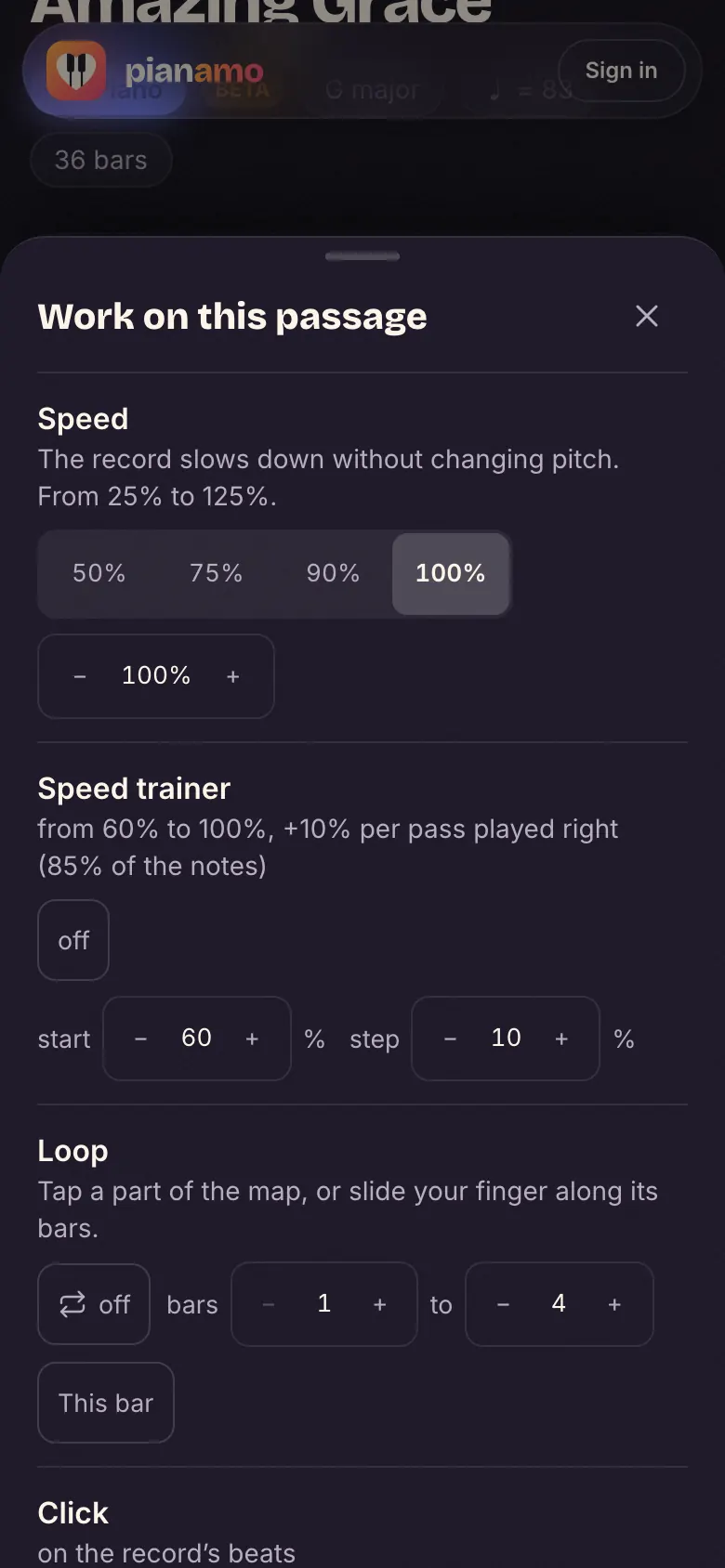
Tap a part on the song map (Intro, A, B): it loops; tap it again, the loop stops. Or pick your bars, from 9 to 12. The loop starts again on the first beat, at the record’s tempo. Looping a section.
Slow down without changing the pitch
At 90, 75 or 50%: the record goes slower, its notes stay the same, and the sheet music follows at the same pace. Your piano stays in tune with the recording. Slowing a song down.
A click on the record’s beats
The metronome doesn’t beat a fixed tempo: it beats the recording’s own beats, where they fall, and slows down with it.
Change the key
Move the record up or down a half-step at a time, up to six, without changing its speed: the song moves into a key that suits your voice or your fingers.
Play along
Play over the record, on a MIDI keyboard or on the screen, and switch to the step by step when a section resists.
On a phone too
One view at a time, the falling notes first; the tracks to tap at the bottom of the screen; speed, loop and click under “Tools”. While it plays, everything else fades away.
And to learn it, the step by step
From the Studio, the step by step is one tap away (“Learn step by step” on a computer, “Learn this song” on a phone): the bass with one finger, the chords, the rhythm, the tune, then the record without its piano, where you’re the one playing. How the step by step works
Frequently asked questions
What is Pianamo’s Studio?
The screen of a song imported into Pianamo. The sound is the recording itself; the sheet music, the falling notes, the piano roll and the chord grid follow it. In it you loop a section, slow it down without changing its pitch, and mute or raise the song’s tracks when it has them.
Can I try it without an account?
Yes, on our demo song, “Amazing Grace” (a public-domain tune, arranged and recorded by us): its three tracks (piano, bass, drums), its four views, the loop, the speed and the click, with no account and no file. Open its Studio.
Which tracks will my song have?
It depends on the song. Most often a song has six tracks (vocals, piano, guitar, bass, drums, the rest) or four (vocals, bass, drums, the rest); a solo piano has only its recording. On a phone, the Studio keeps four at most. It always shows you the ones your song has, and the piano on its own isn’t always available.
Can I download the tracks?
No: the tracks play in the Studio, they can’t be downloaded. The sheet music can, from the Studio, as MusicXML, MIDI or Guitar Pro, and it prints as a PDF.
Does slowing down change the pitch?
No. At 90, 75 or 50%, the record goes slower but keeps its notes: your piano stays in tune with it, and the sheet music follows at the same pace.
Is the sheet music exact?
Not always: it is written by an automatic transcription, still in beta. The chords are the surest part; some notes may be missing, others extra. You can correct it: a chord in “The chords, bar by bar”, under the Studio; a note (add it, delete it, move it, change its length or its hand) and the bar lines in the piano roll, in “Correct” mode; with an account, your corrected sheet music is kept for you, PDF and MIDI included.
Does my song always open in the Studio?
A song made from a recording opens in the Studio as soon as its sheet music can follow the record; otherwise, on the sheet music and its player, as before. An imported score (Guitar Pro, MIDI, MusicXML) opens in the Studio too: it has no recording, its own tracks play, each with its volume, mute and solo.
How do I turn an MP3 into piano sheet music?
Drop it here: its piano sheet music opens in the Studio, with its chords and its step by step. What comes out of a song, what doesn’t and how long it takes: the MP3 to piano sheet music guide.
How much does it cost?
Today, nothing is paid. Our song’s Studio opens without an account. For yours, importing a recording is a free beta, with a free account: up to 3 songs a day per account, just one when lots of songs are waiting.
With the Studio
- Slow a song down – The record at 90, 75 or 50%, its notes unchanged.
- Loop a section – A part or a few bars, coming back by themselves.
- Sheet music that follows the record – The cursor follows the real recording, beat by beat.
- MP3 to piano sheet music – What comes out of a song, and what doesn’t.
The record, its tracks and its sheet music, on one screen. Open the Studio on our song