Slow down a song without changing its pitch
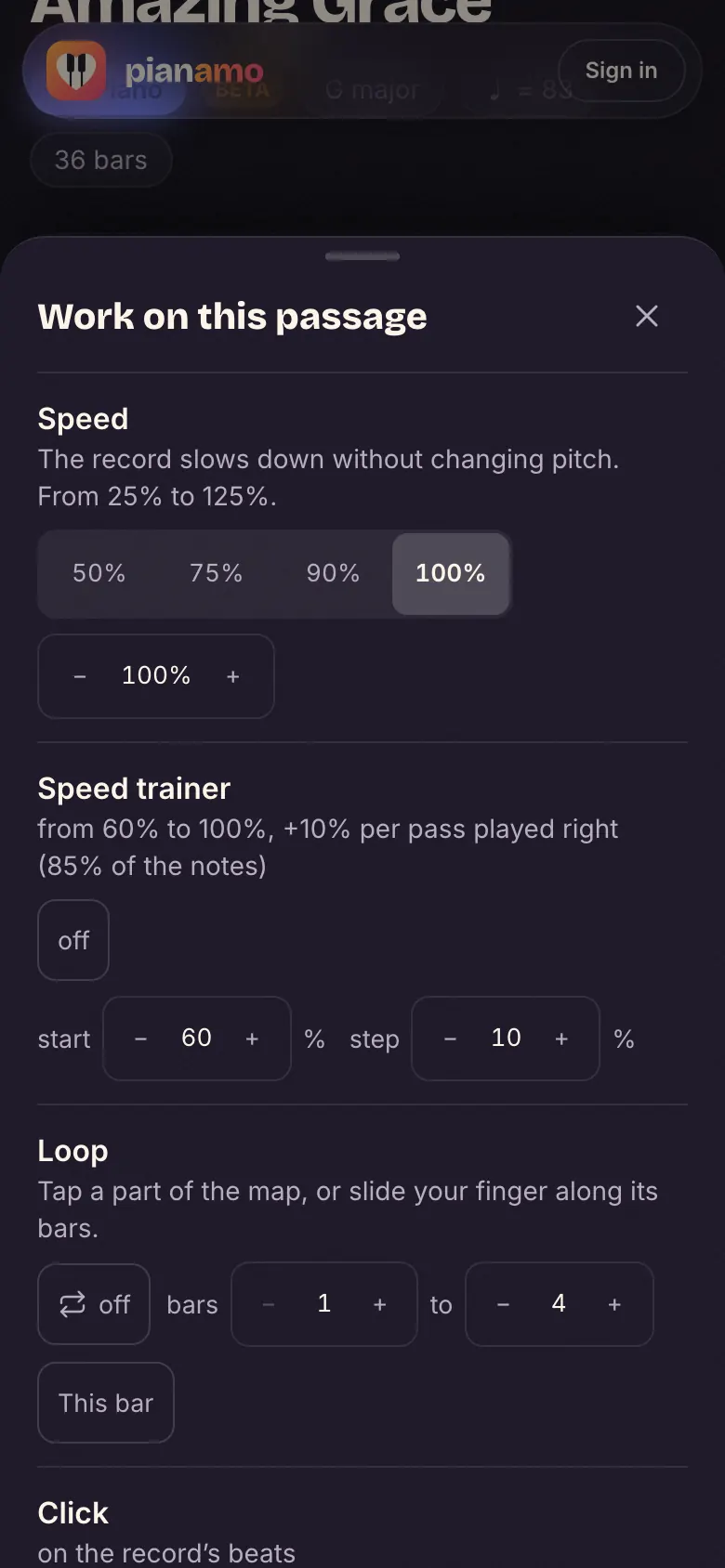
You stretch the recording in time without touching its pitch: the song goes slower but stays in its key, and you can play over it on piano. In Pianamo’s Studio it’s one button: 90, 75 or 50%, and the sheet music follows the record at the same pace.
“Amazing Grace”, recorded by us: no account, no file.
Try it on our song
- Open the Studio of “Amazing Grace”, our demo song (no account).
- In the transport bar, open the small menu next to the speed and pick 75% (on a phone: “Tools”, then “Speed”).
- Press play: the record slows down, its notes stay the same, the score’s cursor and the falling notes follow.
On your own song
Drop your song’s audio file, or a video where you can hear it, on the home page: after a few minutes of analysis, it opens in the Studio. Free during the beta: up to 3 songs a day per account, just one when lots of songs are waiting. You need a free account.
The step by step “Learn this song” uses it too: each passage is first played with the record at 75%, then at its real speed.
Why a slowed-down record usually drops
A turntable or a tape running slower also drops the sound: at 75%, a song drops by almost five half-steps (in C, it sounds in G), and at 50% by a whole octave. Your piano no longer matches the record.
The Studio instead cuts the sound into very short slices and glues them back overlapping more: the length grows, each slice keeps its pitch. The notes stay the same, your piano stays in tune with the recording.
Which speed to choose
- 75% to learn a section: slow enough to read, lively enough to keep the groove.
- 50% for a fast run, or to pick out a note you can’t quite hear.
- 90% just before the real speed.
- Go up a notch when the section goes through twice in a row without a hitch. With a loop, it comes back by itself.
Questions
How do I slow down a song without changing the key?
With a tool that stretches the sound instead of playing it slower. In Pianamo’s Studio, pick 90, 75 or 50%: the recording slows down and keeps its key. Try it on our song, no account needed.
Does slowing music down make it lower?
On a player that simply reads it slower, yes: at 75% it drops by almost five half-steps. In the Studio, no: speed and pitch are handled separately.
Can I slow down my own MP3?
Yes: drop it on the home page, it opens in the Studio with its sheet music. It’s a free beta, with a free account. The slowed-down record plays in the Studio; it isn’t exported as a file.
Does slowing down spoil the sound?
Slowing down is never perfect: sharp attacks (a snare, a staccato note) can sound a little less crisp, the more so the slower you go. The notes keep their pitch.
With the Studio
- The Studio – The record, its tracks and its sheet music, on one screen.
- Loop a section – A part or a few bars, coming back by themselves.
- Sheet music that follows the record – The cursor follows the real recording, beat by beat.
- MP3 to piano sheet music – What comes out of a song, and what doesn’t.